This post is in two parts. In this first part, we will discuss our implementation of events in Crystal Ball PS1 release. In the second part, we will analyze some results regarding best practices to adopt when modeling time-series with embedded events.
Why perform event modeling?
As mentioned above, if we do not account for events, usual or unusual, in the historical data, we face a few problems:
- Events always tend to distort the actual pattern in the data, by either emphasizing or attenuating signals.
- The model gets fitted to the distorted data. In case of CB Predictor, that may result in the wrong model being selected as the best model (since, we just look at the user-selected error measure when deciding the best model), or the parameter values are incorrectly calculated for the (eventually) right model.
- The above two issues lead to noisy forecasts.
GUI Interface
As mentioned above, the entry point to events modeling is in the “Data Attributes” panel, as shown in figure 1.
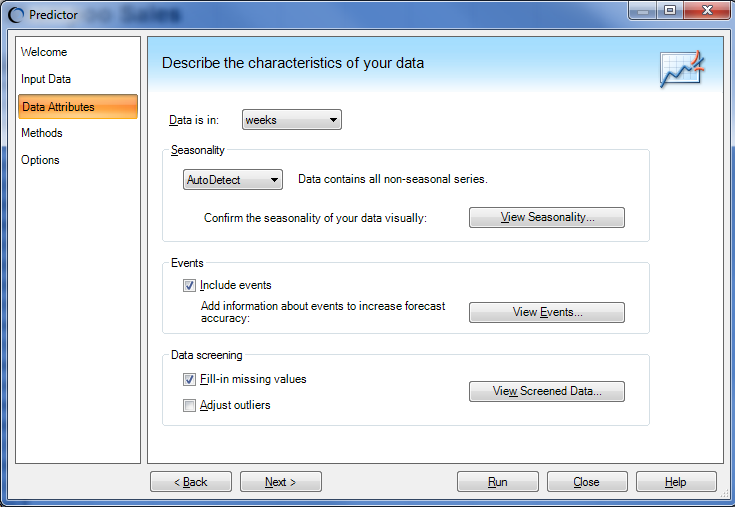 |
| Figure 1: Access to events |
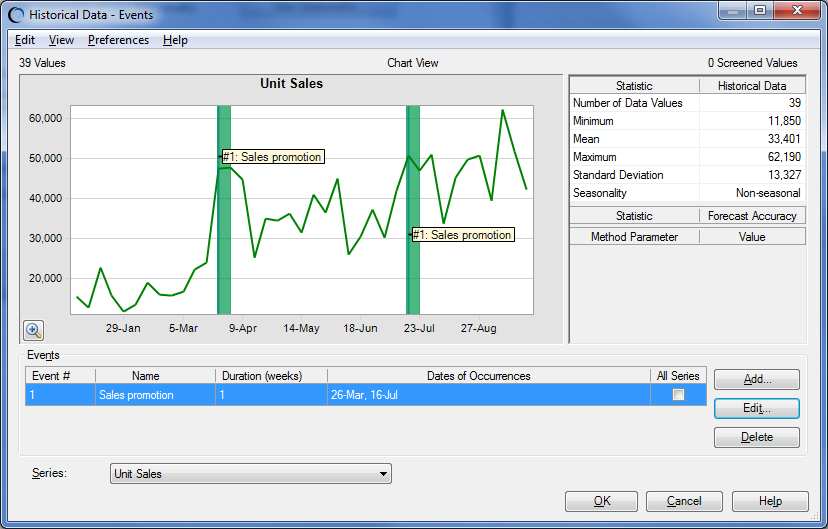 |
| Figure 2: Events GUI |
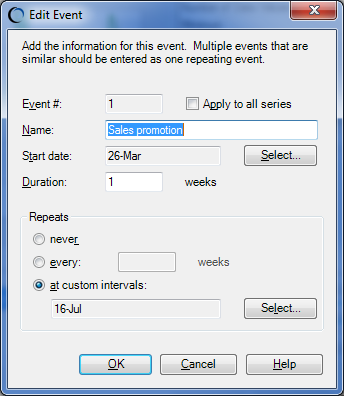 |
| Figure 3: Add/Edit an event |
CB Predictor supports different type of events in this framework. An event could have happened once or multiple times in the historical date range. The same event can be predicted to happen in future forecast periods as well, resulting in an uplift (or downgrade) of the original forecast value. Common sense restrictions apply, like, an event has to have at least one occurrence within the historical date range, in order to be used in future forecasts (otherwise, its effect cannot be calculated). An event occurring at multiple times, either in the past or in future, can be defined at regular or custom interval. An event can also span multiple consecutive time periods in the historical data or in the future forecasts. For more information about defining different types of events, please refer to the Predictor User’s Guide (Setting Up Predictor Forecasts > Selecting Data Attributes - Seasonality, Events, Screening > Viewing and Managing Events).
Algorithmic Details
We use a simple algorithm for analyzing events in historical date range. For each occurrence of an event, we calculate the effect of the event by using one of the algorithms for imputing missing historical data values. If there is a single occurrence of an event in the past, the same effect (either uplift or downgrade) is used for future occurrences of the event. If there are multiple occurrences of an event, we extrapolate the effects using a line fit, to calculate the effects of the same event in future.
Conclusion
Check out the new event modeling capabilities in CB Predictor and let us know how it works for you.


No comments:
Post a Comment